When you click on links to various merchants on this site and make a purchase, this can result in this site earning a commission. Affiliate programs and affiliations include, but are not limited to, the eBay Partner Network.
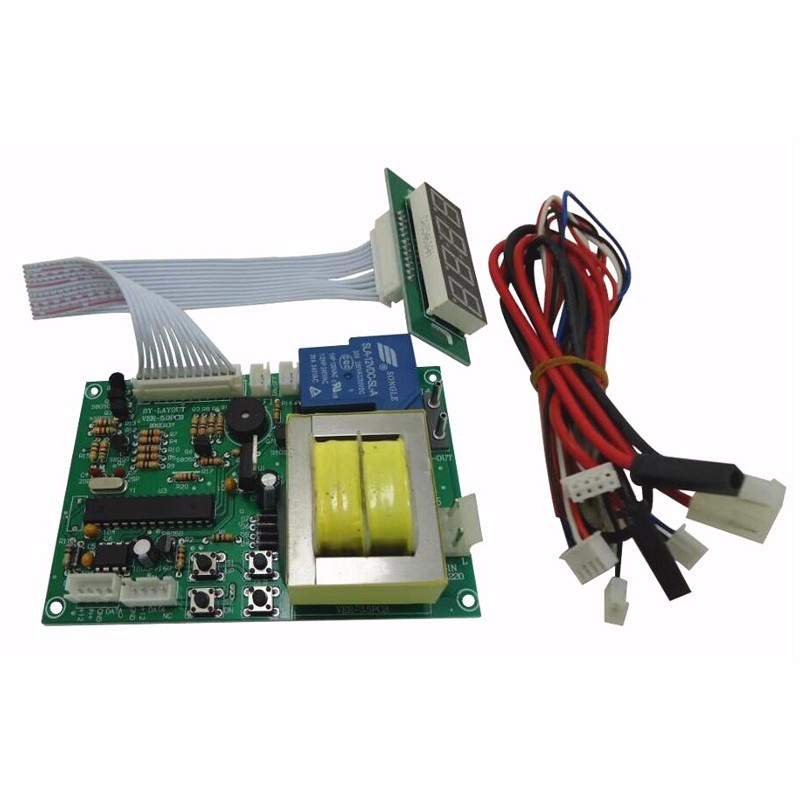
220V / 110V input volatge Timer Board Time Contro Board Power Supply for coin acceptor coin selector, pump water, washing machine, massage chair
Description:
*Newest version of software
*This is used for power supply time control
*Can be used with a coin acceptor or other devices that can output pulse signals.and you can set up for what values to start your machine
*Suitable for any kinds of automatic control devices such asgaming machines,massagechairs, shoe polishers, washing machines, chargers, dryers, and PCs.
Features:
(1) Controls electrical devices ( TV, Massage chair..) power.
(2) Suitable for public place location and most of electric device control,
for example:PCs,washing machines,dryers,massage chairs,chargers,etc.
(3) AC 1250W/DC 500W electrical relay capacity.
(4) Digital timer: rate adjustable by owner through three simple push button switch.
(5) The time can be set by seconds or by minutes.
maximum time : there are 2 version of software
•99:00 (minutes:seconds)or•99:00 (hours:minutes)
(6) Control time by seconds-minutes or minutes-hours.
(7) Accumulate time when signal inputs.
(8) Timer control board with coin acceptor operates with 12V DC power.and has
the LED to show the Time left.
(9) Input Volatg: 220V(Please DO NOT USE FOR 110V INPUT POWER) 110V(Please DO NOT USE FOR 220V INPUT POWER)
Connection:
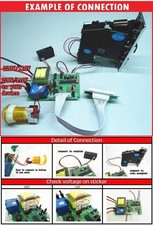
1: Connect to coin acceptor or bill acceptor:
RED:+DC12VWHITE: signal input BLACK: GNDBLUE: counter
2: Connect to counter:
BLACK: GNDRED:+DC12V
WHITE: signal output
3:Input power: neutral and live of to power supply
4:Output power: neutral and live of to device
5:Displayfor time and setting
6: ButtonSTOP/START
7: ButtonSTARTfor operating model:01:02
Note: Voltage for No.3 and No.4 IS 220V
How to choose the right timer board?
Voltage checking:
Setting:
GIVEN TIME and VALUE:User can get extra free time when the amount reach the value you have set up during the working time.
If the function of GIVEN TIME isnot needed, please skip step 5-step 7 by press button S4.
- Please press button "S4", and then please use button "S1" and button "S2" to set upVALUE
- Please press button "S4", and then use button "S1" and "S2" to set upTIMEforFIRST 2 NUMBER(00:--
- Please press button "S4", and then use button "S1" and "S2" to set upTIMEforLAST 2 NUMBER (--:00
- Please press button "S4", and then use button "S1" and "S2" to set upVALUE OF GIVEN TIME
- Please press button "S4". Use button "S1" and "S2" to set upGIVEN TIMEforFIRST 2 NUMBER(00:--
- Please press button "S4". Use button "S1" and "S2" to set upGIVEN TIMEforLAST 2 NUMBER.(--:00
- Please press button "S4". Use button "S1" and "S2" to set upTIMEforWARNING SOUND
Default is 30 seconds
More setting:
1. Please hold on button "S1" and "S2" to get intoMODE SETTING.
2. Please use button "S1" and button "S2" to set upCODEforFIRST MODE.
3. Please press button "S4" after setting.
4. Please repeat step 2 and step 3 for setting rest mode.
Code instroduction:
Operating Mode
01:01:Time counts down without pressing button
01:02:Time counts down by pressing button
TIME TYPE
02:03:MINUTE: SECOND
02:04:HOUR: MINUTE
MEMORY MODE
03:05:Continue counting time after power off and on
03:06:Reset time and value after power off and on
TIME for RESET AUTOMATICALLY
04:??:1-30 minutes are adjustable.
Description:Time and value will be reset automatically if user does not choose any function after the
user inserts coins.
DEFAULT
Operating Mode: 01:01 Time Type: 02:03 Memory Mode: 03:06
This Listing Including:
One pcs JY-16Timer Board